Showing posts with label Side hustle. Show all posts

Wednesday, April 17, 2019

After Six Years, Time To End My Online Courses

Photo by Matt Botsford

Back in 2014, when I started this blog, my goal was to get enough passive income to pay for a Tesla. That goal, of course, changed, but passive income is still a great thing to have and to strive for.

One of my passive income streams has been from teaching online courses. These are courses I created and recorded, uploaded to a couple instructional sites, and then collect money from each month from students who enroll. It's a pretty sweet deal.

Sadly, I think it's time to end those courses. The courses are getting a bit long in the tooth. I made four of them, all about a database product from Microsoft called SQL Server. That's what I've built my career on and what I know, so it made sense to teach others about it.

Why I'm Taking Them Down

Like all technology products, SQL Server is evolving and changing. My courses were made with the latest version of SQL Server at the time - SQL Server 2012. Since then, versions 2014, 2016, and 2017 have been released. SQL 2019 is due to be released soon. While the information in my courses is still applicable, the graphical interface has changed and new features have been added. In short, someone watching my courses today would think the videos are old. And they are. The first one was made 6 years ago.

I've seen my sales start to drop off. The last couple of months have only seen 10 - 15 new students per month. New reviews are rare - maybe 1 or 2 per month. I've come to the conclusion that I need to either make new courses with updated content and using the latest software version or take the old courses down before people start leaving bad reviews because the software shown is old.

Making the courses was a lot of work. Hours and hours writing the scripts, creating demos, then a couple of weekends recording it all. I'm not really looking forward to doing that again and, truthfully, I don't have the burning desire to any more. I already have my Tesla. My wife and I are in a much better place financially than we were six years ago. My passive income stream is now mainly from stock dividends.

Another (small) factor that contributed to my decision to take the courses down was paperwork. Neither of the sites that sell my courses provide tax forms at the end of the year. This means I have to manually track all the payments they make to report them on my taxes. Further, the IRS considers this self-employment income, meaning I also have to pay the employer share of Social Security and Medicare taxes as well as my own share. For a while, I was also making quarterly estimated tax payments. When I was making $200 to $400 per month, I was fine with this. Now however, the amounts are so small, it's more trouble than it's worth. I've got too many other demands for my time.

My courses were available on two platforms: Udemy.com and Skillshare.com. Udemy provides lifetime access for students who have purchased courses, so I can't actually delete my courses there. Instead, I'm setting my courses to private. This means they will no longer show up in any search results. The only way new students can enroll is if I give them a link.

Udemy Almost Final Results

So how much money did these courses make for me? Was it worth it?  Without a doubt, yes.

As I have pointed out before, my total initial investment was a $149 high quality microphone (which is even cheaper now). All the other tools I used, video editing software, graphics programs, etc. were free. I either used freeware products or program such as PowerPoint, which I already owned.

From that initial $149 investment, on Udemy, I have earned over $11,000!


My total figure should go up another $120 or so because there are still two months Udemy has not paid me for yet. (They pay one month behind because they offer students a 30 day money back guarantee.) So all in all, I'll have made about $11,500. Not too shabby.

As the above graphic shows, I had almost two thousand students and my average rating was 4.4 out of 5 stars. I've helped students in 81 different countries:


That's something I'm proud of.

SkillShare Almost Final Results

I earn money differently on SkillShare. Whereas a student on Udemy pays for each course and a portion of each student's purchase price goes to me, a SkillShare student pays a monthly subscription fee and I am paid for each minute of my courses a student views. So on Udemy, earning money is all about recruiting new students. On SkillShare, it's all about getting students to actually watch your courses.

Based on this income model, I'm going to leave my courses up on SkillShare since I don't have to rely on attracting new students to earn money. Because students pay a monthly fee for all content on the site, I don't think any students would leave a bad review if my courses seem out of date. After all, it's more or less free to them with their monthly subscription. In fact, user reviews seems unimportant on SkillShare. As you can see below, I've only had one review out of almost 300 students.

I've talked with SkillShare's tech support and it is unclear to me that they will actually pay out minutes viewed once I deactivate my account. So I don't really see a downside to just letting the courses stay up.

My courses have not been on SkillShare as long as they have on Udemy. I think I first posted them in November 2017 and I've made $633 so far.


SkillShare was never meant to replace or outperform Udemy. It was simply a new platform I heard about and, since I already had all the courses created, I just thought I'd put them up there as well and try to get some more money from them. More money for zero extra work.

The End Of An Era

I'm somewhat sad to be taking these courses down. It was crazy fun getting money each month for doing basically nothing. I remember sitting on a beach in Hawaii four years ago and getting email notifications of money coming in. It's a great feeling :-)

I'm still not sure if I'll make new courses. If I do, they most likely won't be about computer-related topics. I've pondered making some financial-related ones, but can't seem to come up with any good ideas. Does anyone have any suggestions?

Friday, September 30, 2016

Side Hustle Week Day 5: Udemy

Source

Welcome to Side Hustle Week here at Road To A Tesla! Most personal finance bloggers love to talk about side hustles - ways you can make some extra money on the side to help you achieve your financial goals more quickly. These are usually jobs you can do as a hobby or while you are still employed full time somewhere and, with luck, you may be able to parlay them into big-time income producing projects.

I tried out my hand at some side hustles and each day this week, I will be posting my results and thoughts on some of the more popular ones.

Day 1 - Studypool
Day 2 - Wrapify
Day 3 - Loanables / Craigslist
Day 4 - Amazon Mechanical Turk
Day 5 - Udemy


Udemy

I’ve saved my most profitable side hustle for last - Udemy! Udemy is a marketplace for online learning. There, any subject matter expert can create their own course and offer it for sale to the public. This is where you can really put your experience in a particular field to work. Create an online course, set the price, and get paid as students sign up! Over 12 million student use their site. That’s a lot of potential buyers!

The Process

Once you sign up, spend some time getting familiar with Udemy’s Course Quality Checklist. Your course is reviewed before it is published to make sure it meets Udemy’s requirements for technical quality, so you want to make sure you build it to their specifications from the get-go. Udemy places a big emphasis on video content, so the majority of your course should be video (and be sure to use a widescreen aspect ratio). They also like to see a variety of presentation methods. For example: video of you talking, PowerPoint presentations, video demonstrations or screen captures of what you are explaining, etc. They also like for courses to have downloadable content that students can download and review on their own systems. Their system provides the ability for you to create tests for students, so that’s another option you can incorporate into your course.

Your course should be broken up into “lectures” that a student can easily digest. I try to keep my lectures to 5 to 20 minutes each. (This also makes creating them easier.) Once you have created your course files, Udemy has a step by step process that guides you through uploading your files and creating your course in their system. You then submit the course for quality review. If there are any issues, Udemy will tell you what they would like fixed and provide suggestions on how to fix it. This is where is pays to really understand their quality checklist. If you can meet most or all of their requirements the first time you submit for publication, the approval process goes much quicker.

Note – not all of their suggestions for improvements have to be followed. For example, I named my first course Microsoft SQL Server 101 and they wanted me to change the name. They said they wanted to avoid the overly-formal 101-type college course naming convention. I replied that I really preferred that name and they let me keep it. I also did not want to appear in any of my videos, so my courses are 100% PowerPoint slides or program demonstrations. Their guidelines suggest you appear in your videos, but they still will approve a course without any person appearing in it. (Although I did include a still image of myself in an “about the instructor” slide.)

They provide a free one hour lesson on how to create your own course.

Udemy provides assistance in creating the images for your course listings for free. I have zero graphical design experience, so I let Udemy design the images for my courses.


When it comes to pricing, Udemy does impose some limits. There is a minimum and maximum price for courses, currently $20 and $200. The minimum price for a course after a discount is applied $10. You also have the ability to create free courses, although you will receive no payment for students that join those.

Udemy offers several marketing programs you can opt in to. If you do not join their marketing programs, you get to keep 50% of all income your course generates. The downside is that you alone are responsible for promoting your course and getting students to purchase it. (You do have the ability to create coupon codes and discounts to help with promotion.)

If you do join their marketing program, there are three options to choose from and you can join one, two, or all three. All programs will promote your course using a fixed amount discount or a percentage discount, but there is a minimum price they will charge (usually $10). The first program is just Udemy itself promoting your course. The second program is Udemy affiliates promoting your course. The third is Udemy For Business selling your courses as part of a bundle of courses offered to their corporate customers. How much money you make depends on which promotion program you are in. The first program gives you up to 50% of the sales price. The second pays you up to 25% of the sales price. The third divvies up 50% of the sales price and divides it equally among all the courses in the bundle, based on the minutes in each course. All programs may discount your course by up to 75% (for the percentage discount option) or offer it for a sales price as low as $10 (for the fixed amount discount option).

I highly recommend joining all the marketing programs. Even though they greatly discount your courses, the number of students they get to join your courses probably beats anything you could achieve on your own. Joining one of their marketing programs does not prevent you from recruiting students on your own however, and you still get the higher payment amount for students you bring in on your own (via a coupon code).

Students have a 30 day money back guarantee on all course purchases, so Udemy pays you about 5 weeks in arrears. For example, you will be paid the first week of August for sales made during the month of June. Payment is made via Paypal.

Each course has its own discussion area where students can ask questions and instructors can answer. Instructors also can send messages to all their students or students of just a particular course. (They request that you limit marketing messages to once a month.)

How It Turned Out

This is how it’s turned out for me so far:


I posted my first course in August 2013. That works out to around $225 a month for three years. And the best part is this is truly passive income. Let me explain.

The Best Side Hustle Is One That Requires No Ongoing Hustle

Truly passive income is income that keeps coming in whether you work or not. I spent some initial time creating the courses, but once I published them, they’ve been generating income day in and day out, even while on vacation. I made my first course 3 years ago and haven’t touched it since, but I’m still getting money from it today!

My total monetary investment was $149 for this Yeti microphone (and the price has dropped since I first bought it years ago). I used CamStudio, a free screen recording program to record my videos. I used the free program Convert AVI To MP4 to convert the output from CamStudio to a format Udemy supports. I used PowerPoint to make my slides, but my employer paid for that software. My courses are about Microsoft SQL Server, and again, my employer paid for that.

My biggest investment was time. I spent several hours developing each of my courses. I started by creating an outline of what I wanted to teach, then wrote a script for the recordings. I also decided what I wanted to demonstrate and developed examples. Once all that was completed, I had to record everything.

After the course was published, I created my own YouTube channel and posted two of the lessons from each course as demos.  I also added coupon codes for the courses there.

The first course took me the longest to create. (It was also the longest of my courses, at over 4 hours long.) It took me a while to get used to the recording equipment, running the slideshow while reading my script, and running the demonstrations. I had to re-record my lessons several times because I made vocal blunders or I messed up the demonstration. But by the time I made my fourth course, I had the process down and I could usually finish a lesson in the first take. I have a total of 10 hours of course material and I estimate I spent about 80 hours creating all of that. At my current income figure of $8,288, that works out to $103.60 an hour. And as more sales happen over time, that number will only go up.

Udemy provides statistics so you can see how far into the course each student gets and I’ve discovered most students who buy a course never finish it! In fact, I would estimate that more than half of the people who buy my courses never view ANY portion of them! Here’s a list of some of my very first students who joined my class three years ago. Look at the Progress column:


Only one viewed more than 35% of the course and most viewed none of it. But they all paid me for it! Over the three years I’ve been offering courses, I think I only had 3 or 4 people request refunds. Udemy handles the refunds, so there is no work on my part.

For those interested, my courses are here. Use coupon code 15OFFBLOG on any of the courses for a 15% discount.

Teach What You Love

You may not think you have anything to teach, but visit Udemy and take a look at some of the courses people have created. You may see something and think “I can do that!”


This concludes Side Hustle Week. I hope you enjoyed it and learned a thing or two. I love hearing about what other people have done as side hustles, so please leave comments about any experiences you have!

Thursday, September 29, 2016

Side Hustle Week Day 4: Amazon Mechanical Turk

Source

Welcome to Side Hustle Week here at Road To A Tesla! Most personal finance bloggers love to talk about side hustles - ways you can make some extra money on the side to help you achieve your financial goals more quickly. These are usually jobs you can do as a hobby or while you are still employed full time somewhere and, with luck, you may be able to parlay them into big-time income producing projects.

I tried out my hand at some side hustles and each day this week, I will be posting my results and thoughts on some of the more popular ones.

Day 1 - Studypool
Day 2 - Wrapify
Day 3 - Loanables / Craigslist
Day 4 - Amazon Mechanical Turk
Day 5 - Udemy


Amazon Mechanical Turk

Just about everyone knows Amazon is an online store that sells more or less everything. However, they have numerous other businesses, one of which is Amazon Web Services. It is this part of the Amazon empire that runs the Mechanical Turk website. What is a Mechcanical Turk? The name comes from The Turk, which was a fake chess-playing machine built in the late 18th century. It was fake because the machine actually contained a hidden person that was moving the chess pieces.

Image credit
Amazon has created a crowd-sourced platform where people can submit work for others to do. Typically, the tasks are relatively simple, yet too complex for a computer. For example, common tasks are to transcribe an audio or video file, evaluate a website, or answer a survey. For the person submitting the project, the site behaves very much like a mechanical turk – they submit a question to a computer, yet humans actually perform the task and create the result. The humans performing the tasks are paid varying amounts, depending on the task. Prices range from pennies to over a hundred dollars.

The Process

I signed up for Amazon Mechanical Turk back when I first heard about it, sometime in 2012. To sign up, you use your Amazon account and answer some qualifying and demographic questions. The tasks you can perform are called HITs, or Human Intelligence Tasks. If you qualify, you can pick a HIT, which will likely direct you to another website. Open that website in a different window or tab and complete whatever task you have to do. At the end of that process, you will usually be given a code you need to paste back into the original HIT window or tab to get credit for your work.

When you accept a HIT, that HIT is not available for others, so it is expected that you complete it. If you start it and decide for whatever reason not to finish it, you should be sure to return the HIT, so that it is available to someone else. The system tracks how many HITs you accept and complete and you will be disqualified from accepting any more HITs if your failure rate gets too high.

Most of the HITs I’ve done are surveys or questionnaires, simply because I tend to do this at work during my lunch hour. These HITs typically only pay $1 to $2 and take 5 to 15 minutes to complete. There are usually many HITs available involving transcribing audio or video, which pay more, but aren’t conducive to being performed in an office environment. The higher paying HITs typically require additional qualification. You qualify for these by taking one or more additional tests. For example, here is a HIT that pays $113.21, but requires some additional qualifications. The task is to transcribe a 2.5 hour audio file.

A high paying HIT with several qualification requirements

If you can type as fast as the person talking in the recording, that works out to just over $45 an hour. Not too shabby!

I also often see HITs for transcribing foreign language items into English or vice-versa. If you are bilingual, this might be a good way to pick up some extra money.

How It Turned Out

After you submit a HIT, if your work is approved by the employer, you usually see the money credited to your account in a day or two. You can withdraw your earnings either via an Amazon Payment account (which you can link to your bank account), or get it transferred to an Amazon Gift Card, which you can use to buy things on their site.

As this image shows, I’ve earned $56.03 since I signed up back in 2012.


The Old Way I Did It

Nothing spectacular, but, as I said, I typically just did this during my lunch hour at work. I would log in to the site and manually look for HITs that were available to me. I’ve discovered that the types of HITs I usually do come around more or less weekly, so I only checked about once a week. Most the time, I forgot or I got busy reading the news or something else distracted me, so in reality, I logged in once a month or so, possibly even less.

The Way I Do It Now


A couple of months ago, I saw a report of someone making $150 to $300 per week. Based on my experience at the time, I found this hard to believe. After re-reading the post at that link, I bought the author’s ebook (Side Hustle From Home: How To Make Money Online With Amazon Mechanical Turk) to see just how this was possible. I have to say, this was a game changer.


The biggest tip I got from the book was to use scripts and browser plugins when working on mTurk. There is a whole community that has grown up around this side hustle and they have created all kinds of scripts to optimize your income. In the two days after I installed some of the scripts the author recommends, I completed about 25 HITs, boosting my total completed count to over 100, which is an important threshold at which more and better paying HITs become available. Prior to this, I could not see how it was possible for people to make any sort of real money doing this. Now, my eyes have been opened.

My daily target is to earn $11.77 a day, 5 days a week. After withholding 15% for taxes, that works out to $10 a day or an extra $200 a month. I think this is easily achievable. I'm not going to retire on this, but it will provide a nice boost to my Tesla savings!

Remember my screenshot above showing I made a whopping $56.03 after four years? Look at what has happened after just four days of using the scripts recommended in the ebook:


I made almost $70 with very little effort. And I'm still waiting for 12 more of my completed HITs to get paid, so I'm due another $6 to $12 for those days.

Amazon Mechanical Turk is definitely worth checking out, especially if you have a job working on a computer all day and can leave a browser window open in the background to alert you as HITs become available.

Wednesday, September 28, 2016

Side Hustle Week Day 3: Loanables And Craigslist

Source

Welcome to Side Hustle Week here at Road To A Tesla! Most personal finance bloggers love to talk about side hustles - ways you can make some extra money on the side to help you achieve your financial goals more quickly. These are usually jobs you can do as a hobby or while you are still employed full time somewhere and, with luck, you may be able to parlay them into big-time income producing projects.

I tried out my hand at some side hustles and each day this week, I will be posting my results and thoughts on some of the more popular ones.

Day 1 - Studypool
Day 2 - Wrapify
Day 3 - Loanables / Craigslist
Day 4 - Amazon Mechanical Turk
Day 5 -Udemy


Loanables / Craigslist


The Sharing Economy is the new Big Thing. Uber, Lyft, AirBnB,  and the like are letting people provide services or rent out their property for cash via the internet. In the case of the companies I mentioned, it’s been a pretty big success. It stands to reason then, that there might be an opportunity to rent out items besides cars or spare bedrooms.

Many people have stuff they rarely use – things like power tools, folding chairs, or sports equipment. Why not rent these out to people who need them? Back in 2008 and 2009, there was a big surge in websites specializing in these types of rentals. None reached the popularity of Uber or AirBnB and eventually the whole concept seemed to collapse. The largest company in the field, Zilok, is based in France and operates mainly overseas. Their U.S. site is still up, but you can no longer list an item to rent (you get an error when you go through the process) and the newest renter comments / evaluations I could find were from 2013. I read an article or two that posited that the failure of this concept to take off was due to the ubiquity of Amazon Prime, online ordering, and same- and next-day shipping.

Nevertheless, I felt the idea still had merit. I agree that cheap prices and quick delivery options from online stores are likely limiting how large this field can grow. Why rent a power drill for $10 a day when I can buy my own for $35, own it forever, and get it delivered tomorrow or sooner? But what about for large or heavy items, things that are generally hard or expensive to ship? Or items that are fairly specialized or needed only for a short time, such as crutches? I feel those might have a rental market.

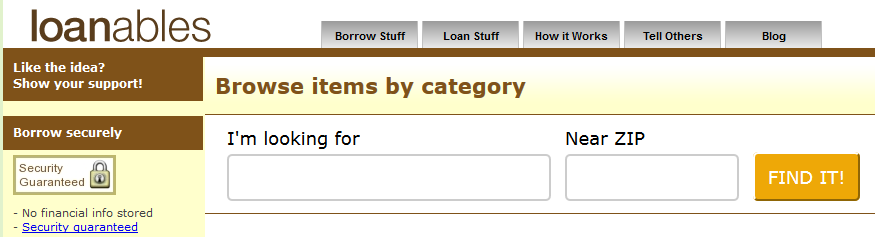
I searched for peer to peer rental sites and mainly found the husks of sites that went away years ago. However, I did come across one that was still functioning: Loanables. It’s a small site, but there were some people on there offering things to rent in my area, so I thought I would try them out. Their company blog hasn’t been updated in months and the comments on their last post seem to imply that it takes months before your items are approved and go live on the site. However, I found the site’s operators to be fairly responsive. They answered my emails usually within 1-3 days. They told me they approve and post items to the site every couple of days. In short, I think the site isn’t necessarily their top priority, but they are still working to keep it going.

The Process

I signed up as a lender. As part of that process, you need to provide a credit card number, which is not stored by the company and is handled by a third party company. The site is free for borrowers and charges a 10% fee for lenders, within a minimum fee of $1. The actual exchange of rental fees between borrowers and lenders is handled directly between the two parties, not the website. The site does collect a security deposit from the renter in case things go south, but they recommend the two parties work things out themselves in the case of damages, etc. rather than the lender simply requesting the deposit be turned over. The site provides a rental contract to protect all parties involved.

When you create your profile, you provide your address and a list of times that are most convenient for you to have the borrower come pick up whatever they rent. Your address is never released to the borrower until you have both agreed to a deal. If someone wants to rent one of your items, you can get an email notification, text message, or both.  Loanables' full FAQs can be found here.

To list an item, you fill out a simple form with a description of the item and indicate rental prices for daily, weekly, and monthly rentals, and a security deposit amount. You can upload a maximum of two photos. It’s a very simple and easy process. After the site’s owner’s have reviewed your listing, they will publish it to the site.

How It Turned Out


I listed 15 items to rent:


(Note: that image is from my admin screen. The page the borrowers see include images, descriptions, and more pricing.)

To date, I have not rented anything out and have not received any inquiries about my items. Given the failure of previous companies in this area, I have low expectations. However, it costs me nothing to have the listings up and the items I am renting are just sitting in my garage anyway, so even a single rental will see me make some money.


Craigslist


Craigslist is one of the largest and oldest classified advertising websites around and has separate sites for major metropolitan areas. The site has several different sections, such as For Sale, Jobs, Gigs, and Discussion, but not one for rental items. However, people do post things for rent in the For Sale area, so that is where I headed.

The Process

I've used Craigslist successfully before for selling various items, including my old car, so I was familiar with how the process worked. You create an account, log in, and a step-by-step process guides you through creating your ad. You can add photos and specify a general area of where you are located via Google maps. To verify your email, you'll be sent a link you need to click on before your post goes live. That email also contains a link to mange your ad - you can edit it later or delete it.

Because I already had done the work of photographing and writing descriptions for my items to post on Loanables, I figured I would go ahead and post some of the same items for rent on Craigslist. One thing I did add to my descriptions for Craigslist was that I would only accept cash, the renter would have to sign a rental agreement (this is done as part of the rental process on the Loanables website), and I would require a valid ID from the renter. This is just to protect myself from theft. Also, while I listed a maximum rental period of one month on Loanables, for Craigslist, I dropped that to one week. I only listed a subset of the items I listed on Loanables, mainly because you have to manage each ad independently, so it's a more cumbersome process than Loanables. Craigslist ads are valid for 45 days, after which they are automatically deleted.

How It Turned Out

I gotten two inquires on items so far, but nothing panned out. Again, it costs me nothing, so I’ll leave the posts up for now.


Tomorrow

So far, Side Hustle Week has been a bust. I have either made no money or made a small amount of money that I can’t withdraw. But things are about to take a turn for the better. I actually start making real cash. Come back tomorrow to see how!

Tuesday, September 27, 2016

Side Hustle Week Day 2: Wrapify

Source

Welcome to Side Hustle Week here at Road To A Tesla! Most personal finance bloggers love to talk about side hustles - ways you can make some extra money on the side to help you achieve your financial goals more quickly. These are usually jobs you can do as a hobby or while you are still employed full time somewhere and, with luck, you may be able to parlay them into big-time income producing projects.

I tried out my hand at some side hustles and each day this week, I will be posting my results and thoughts on some of the more popular ones.

Day 1 - Studypool
Day 2 - Wrapify
Day 3 - Loanables and Craigslist
Day 4 -Amazon Mechanical Turk
Day 5 -Udemy


Wrapify

You’ve probably seen the rolling billboards – cars wrapped with vinyl advertising copy cruising down the highway. I used to assume the cars were owed by the company doing the advertising – after all, my employer has a fleet of vehicles and they are all wrapped with ads for the company. However, it turns out this may not be the case. Those might simply be hired cars.

Wrapify is a company that sells advertising on cars. They pay you to get your car wrapped with vinyl advertising and then you go about doing your normal day to day driving and get paid for it. Sounds like a great, easy side hustle!

The Process

To qualify as a driver, you have to be at least 21 years old, have a clean driving record, and own or lease a 2008 or newer vehicle with no body damage. I signed up in July and learned how their process works.

Getting started is easy. You create an account on their website and download their app to your smartphone. When you go out driving, you launch their app, which uses GPS to track where you drive. If a company is interested in advertising in the area you drive in, you will get a notification to come in and get your car wrapped. (You always have the option to decline advertising for a company if, for example, you disapprove of their product.) Should you decide to go ahead and get your car wrapped, you drive to one of Wrapify’s service centers and drop your car off for the day. They wash it and apply the vinyl wrap, and then you pick it up. Wrapify will pay for an Uber or taxi to transport you to and from their service center while your car is being prepped. Then, simply drive your car as normal, being sure to run their app on your phone so you get credit for driving.

Advertising campaigns can last from 1 to 6 months, after which, Wrapify will remove the wrap from your car. You are paid only for driving within whatever area the advertiser selected and you are paid bi-weekly.

How It Turned Out

In order to be eligible for campaigns (which is what they call an ad), you have to first log at least 50 miles with the app. No problem. My daily commute is 52 miles, so I qualified the day I signed up. They also want to know what kind of car you drive, information they need to know so they can tailor the wrap to your specific car.

I dutifully turned on their app every time I drove my car anywhere. After more than a month of driving without getting an offer for a single campaign, I contacted the company and found out a bit more about how the process works.

Campaigns are only available when companies want to advertise, naturally. In my area (Phoenix), there were some campaigns active, but not many. The person I spoke with said their salespeople were attempting to sell more ads – after all, if the drivers don’t get paid, the company doesn’t get paid either – but it was slow going. To date, I’ve driven 3,357 miles without a campaign offer.

The App

Wrapify’s app comes in both an iPhone and an Android version. When I first joined, iPhone was all they supported and that is the one I used initially. That version works well. You just log in to the app when it launches and it simply tracks your mileage and route. You can get totals for the miles you’ve driven for the day, week, month, and year.


When you log into the website on your computer, you can also see maps of your routes, the times the app sampled your locations, and the speed you were driving. I will say that the speed number is way off. Most of my commute is freeway driving, where I am driving about 65 to 75 MPH. The app seems to think I’m only going around 35 MPH though.

The Android app was in beta when I started using it. It looks and functions identically to the iPhone version with one big exception – it drains your phone battery like crazy. I noticed after a 30 minute drive in to work, my battery typically dropped from 100% to around 50%. (I have a Samsung Galaxy S6.)

Even when you are not moving, the Android app sucks power. With the phone just sitting on my desk, by noon, my battery was dead. Now, this was a beta version, so things might have changed in newer versions, but the battery drain was so bad, I had taken to killing the app when I got to work to save the battery. The thing is, you can’t really do this because……

When a campaign becomes available in your area, you are notified via a push notification from the app. According to the company, campaigns are not tailored to a specific driver – the notification goes out to all drivers in the area and it’s assigned on a first come, first served basis. So you need to have the app running all the time and your phone with you all the time if you want to get and respond to a campaign offer. Here’s how the company explained it to me (grammar and punctuation as given):

We are active in the Phoenix metro however our advertisers are not currently running a campaign with open seats at the moment.  Because our platform is entirely advertiser dependent there will be a wait time for campaigns.
Here is some insight as to how the campaign matching works: Our advertiser sets up the area that the campaign will run when they are creating it in the system, they create the map or "campaign area" in which they want to pay drivers. Sometimes this will encompass the whole entire metro, and other times it's part of the metro, it's entirely up to them.  When the campaign goes live, the system will match the drivers that drive in that campaign zone that the advertiser has created. Those drivers that drive in that area will then receive the campaign via a push notification in the app. If a campaign goes live in your metro and you do not receive an offer that simply means your driving pattern does not fall within the advertiser desired campaign zone. Campaign selection is entirely up to the drivers who receive the offer, we do not choose the drivers for the campaigns and there is no priority seating. All offers that go out are first come first serve. Your driving data is not used for anything other than matching you with campaigns when they go live.
As long as you have the push notifications enabled on your phone you will receive the offers when they are activated in your area.

After three months, I have yet to receive any campaign offers. My daily commute is between the Phoenix metro area and a nearby suburb, so either I don’t fall into the area the advertisers are looking for, or  there just isn’t anyone advertising.

Conclusion

I’d like to see this side hustle work. Even without getting selected for a campaign, it’s not too much hassle to continue to make yourself available for when a campaign kicks off. I rarely leave the house without my phone anyway, so there is very little in my routine that I have to change to keep myself available for a potential campaign.

Obviously, the area you drive in will have a huge impact on how successful this side hustle can be for you. Those living in sparsely populated, rural areas are probably not going to get much income from this side hustle.

While I have not made money with this yet, I’ll keep using the app for a bit and continue to see how it plays out. I imagine though, that after more than a couple months without an offer, I'll probably give it up.

Monday, September 26, 2016

Side Hustle Week Day 1: Studypool

Source

Welcome to Side Hustle Week here at Road To A Tesla! Most personal finance bloggers love to talk about side hustles - ways you can make some extra money on the side to help you achieve your financial goals more quickly. These are usually jobs you can do as a hobby or while you are still employed full time somewhere and, with luck, you may be able to parlay them into big-time income producing projects.

I tried out my hand at some side hustles and each day this week, I will be posting my results and thoughts on some of the more popular ones.

Day 1 - Studypool
Day 2 - Wrapify
Day 3 -Loanables and Craigslist
Day 4 - Amazon Mechanical Turk
Day 5 - Udemy


Studypool

Studypool.com is a tutoring website where students post questions or requests for help and others can assist them - for a fee. Each question posted has a dollar range that the student is willing to pay for assistance, as well as a time frame they need the answer by. As a tutor, you place bids on the questions and feel you can answer, sort of like an auction.

They have a reputation system for both students and tutors, but it’s fairly rudimentary. As a tutor, you can increase your reputation by just submitting 15 or more bids in a day. The bids don’t have to be accepted by any students for you to get the increased reputation.

 The Process

Once your bid is accepted, Studypool has a very specific process you must go through to help the student. You are forced to send a “Hello” message to the student and tell them when they can expect your answer. Then you send them your answer.

This is where things get strange. To get credit for submitting an answer, you have to mark the question as completed before the end of the time frame the student specified, but the next step in their process is to answer any additional questions the student might have. So if you never hear back from the student, which happened to me 100% of the time, technically, you can't mark the question as complete because you don't know if the student has other questions. I ended up waiting until 5 or 10 minutes before the time frame was to end, then marked it as complete. And finally, in order for you to get paid, the student has to mark your answer as acceptable.

How It Turned Out

I had many issues with the site: They break down questions into categories, but they are seemingly random. For instance, they have three separate categories called Mathematics, Algebra, and Calculus. Mathematics is a general enough term to cover algebra and calculus, so not sure why those are broken out separately. They should just use the two more specific terms and ditch the Mathematics category. Other categories include Graphs, Film, SAT, and Excel. They have separate categories for Programming, PHP, HTML/CSS, Javascript, and Computer Science, even though they are all Programming.

The site is fairly slow. Additionally, they use a spinning wheel graphic at the end of their search results. This makes you think the site is still working, but in reality, it’s done. Very poor user interface design.

The questions themselves range from the ridiculous to the absurd. I’ve seen questions asking to explain the Pythagorean Theorem or how to graph X=5 and ones asking for an 18 page paper on economics. The students seem to have little sense of value. For example, the question that required an 18 page paper was set with a maximum price of $10. I feel I am competing against people in third world countries for working at that price.

Many students often post questions with instructions like “Use the methods discussed in class…” Umm.. We weren’t in the class. How are we supposed to answer that? Or look at this one:

“Read chapter 13 and 14.” Said chapters are nowhere to be found. Not even a name of a book to try to find them. The required deliverable is a two page essay. Want to know what the student was willing to pay for this? $1 to $7. Oh, and the student wanted this done within 15 hours. Place your bids now to compete for the right to answer this one!

Worst Auction Ever

And speaking of competing, there is next to no way to distinguish your bid from others. Bid amounts are limited to a list in a drop down box that only contains values within the question’s listed price range – and those are only in $2 increments. If you see 5 people bidding $5 on a question and you want to bid $4, too bad. Can’t do it. You’re stuck bidding $3.


The only way to differentiate yourself from other tutors is by your reputation score. However, this presents a catch-22. You can’t raise your score until you answer questions and no one will pick you to answer questions if your score is low. You can raise your score, as I mentioned earlier, by bidding on 15 or more questions per day. This, of course, opens the door to artificial reputation inflation.

Not Much Work Available

Questions are very hard to come by. I signed up in July, when school was out, so I can understand the initial lack of questions. However, I continued to search for questions once or twice per day until the end of September. The pickings were slim. Once again, I felt I was up against hordes of people overseas who spend all their time on this site, snatching questions up as soon as they become available.

Studypool started a new feature shortly after I joined – something called “Recommendations.” Basically, Studypool will recommend a particular tutor to the student to answer a student’s question. (It's unclear if this is an automated process or not.) Here's how they explain it:


There are several factors in determining if a recommendation gets made, including price and time limit, satisfaction rate (i.e, a tutor’s reputation rating), etc. The problem is that once Studypool has made a recommendation, no one else can view or bid on the question. This drops the number of available questions to miniscule amounts. Here is an example of what I have seen every day for the past month:


Everything grayed out is non-bidable due to a recommendation. There is only one available question (at the top), and this is searching ALL questions on their site.

So to recap – questions get a recommendation about 20 minutes after being posted. Once a question has received a recommendation, no one else can bid on it (or even view it). This means you have to monitor the site constantly in hopes of getting a question you can bid on.

Payments

After answering 10 questions, new tutors get a $25 bonus. I never made it that far. I was only able to answer 3 questions, earning a total of $11 in pay. Unfortunately, the site does not let you withdraw money until you have accumulated at least $50.

The Final Word

Let’s be honest - with this site, you are getting paid for doing someone’s homework. Even if you are OK with that, your time will best be spent elsewhere. Unless you are dirt poor and willing to work for pennies an hour, avoid this one.